How to Extend the Lifespan of Diagnostic Tools?

Time:2026-10-14 Author:Isabella
0%

Diagnostic tools are the quiet infrastructure behind accurate decisions. Their lifespan affects test reliability, operating costs, patient safety, and clinical confidence. A device may still power on while producing unstable readings. That difference matters.

Learning how to extend the lifespan of diagnostic tools begins with disciplined daily care. Staff should inspect cables, probes, connectors, screens, and ventilation openings before use. A cracked ultrasound cable or loose ECG lead can worsen unnoticed. Clean surfaces according to the manufacturer’s instructions. Avoid excessive moisture near ports and switches. Small habits protect expensive components.

Lord Kelvin, a pioneer of measurement science, said, “If you cannot measure it, you cannot improve it.” His principle applies directly to equipment management. Record operating hours, error codes, calibration dates, battery changes, and repair history. Trends often reveal trouble before failure becomes obvious. Preventive maintenance should follow risk, usage, and manufacturer guidance, rather than habit alone.

The process is not perfect. Budgets are limited. Training can be inconsistent. Some teams replace parts too late, while others replace them too early. A practical program reviews both decisions. Keep spare cables, approved batteries, and essential consumables available. Protect devices from heat, dust, vibration, and unstable power. Verify performance after repairs and calibration. Never rely only on appearance.

This article explains how to extend the lifespan of diagnostic tools through maintenance planning, user training, environmental control, documentation, and responsible replacement decisions. The goal is not simply longer service. It is dependable performance when clinicians and patients need trustworthy results.
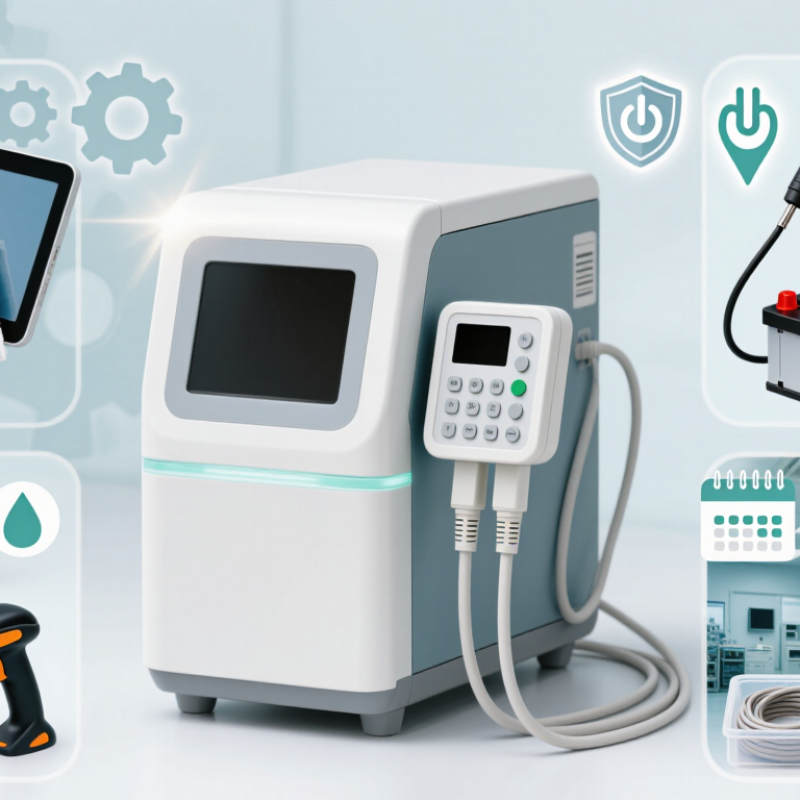
How to Extend the Lifespan of Diagnostic Tools?

Understanding Diagnostic Tool Lifespan and Wear Factors

Diagnostic tools rarely fail without warning. Their lifespan depends on workload, storage, cleaning, calibration, and operator habits. A device used hundreds of times daily faces faster wear than one used weekly. Heat, humidity, vibration, and repeated cable bending can quietly damage sensors and connectors.

The World Health Organization’s Medical Equipment Maintenance Programme reports that up to 80% of medical equipment can be nonfunctional in some low-resource settings. Poor maintenance is a major factor. The report recommends preventive maintenance, user training, spare-parts planning, and accurate service records. These practices also matter in modern laboratories and clinics. A simple log should record usage hours, error codes, cleaning dates, calibration results, and unusual noises. Small details matter.

Inspect high-contact parts before each shift. Look for cracked housings, loose ports, worn insulation, and unstable readings. Clean according to the manufacturer’s approved method, since excessive liquid can damage internal components. Store tools away from direct sunlight and sudden temperature changes. The International Organization for Standardization’s ISO 15189 framework emphasizes equipment monitoring, calibration, and documented corrective action in medical laboratories. That makes maintenance a quality issue, not merely a repair expense.

Replacement decisions should consider accuracy, safety, repair history, and available support. Age alone is a weak measure. Honestly, maintenance schedules are often too optimistic. Staff workloads change, and real usage can exceed planning assumptions. Review the schedule after failures, near misses, or major workflow changes. A short monthly inspection may prevent a costly interruption.

Establishing Routine Cleaning, Calibration, and Inspection

How to Extend the Lifespan of Diagnostic Tools?

Establishing Routine Cleaning, Calibration, and Inspection

Diagnostic tools rarely fail without warning. Dust gathers around vents, residue dries on probes, and loose cables create unstable readings. The World Health Organization’s 2017 Global Atlas of Medical Devices reported that 50% to 80% of medical equipment in some developing regions was not in use. Poor maintenance was one contributing factor. A practical routine can prevent avoidable downtime.

Clean each tool after use, following its approved material and disinfectant guidance. Never soak electronic housings. Wipe sensors gently, then allow them to dry fully.

Inspect seals, connectors, displays, batteries, and fluid paths. Small cracks matter. A forgotten cable can compromise an otherwise reliable test.

Calibration should follow risk, workload, and measurement history, not convenience alone. Record the date, reference standard, technician, result, and uncertainty. Recalibrate after major repair, impact, or unexplained drift.

ECRI’s 2024 health technology hazards report continues to emphasize inspection, maintenance, and user training as practical safety controls. Our own records are often less tidy than we admit. That is worth correcting.

A missing entry can hide a repeated problem. Review trends monthly, quarantine questionable tools, and compare results against control materials before patient testing. These habits cost minutes, but neglected maintenance can cost far more.

Using Proper Storage, Handling, and Operating Procedures

Diagnostic tools rarely fail without warning. Storage, handling, and operating habits often determine their working life.

The World Health Organization states that laboratory results influence roughly 60–70% of medical decisions. That figure makes equipment care more than a maintenance concern. Store instruments in clean, dry areas with stable temperatures. Follow the manufacturer’s specified humidity and temperature ranges. Keep optical surfaces covered, but never trap moisture underneath. Remove batteries from devices kept unused for extended periods. Small details matter.

Use two hands when carrying sensitive equipment. Avoid placing tools near sinks, direct sunlight, vibration, or chemical vapors. Before operation, inspect cables, connectors, seals, and displays. A rushed wipe-down is still a weak point. Use approved materials and allow surfaces to dry completely. Do not force controls or ignore unusual sounds. Stop and record the problem instead.

The WHO Laboratory Quality Management System handbook identifies calibration, preventive maintenance, and equipment records as essential quality practices. Record service dates, faults, cleaning actions, and performance checks. Trend repeated errors instead of treating each incident separately. Staff should follow written procedures and receive practical training. In real workplaces, procedures may be too long to use consistently. That is worth reconsidering. Short checklists, visible labels, and scheduled verification often protect tools better than complex instructions. Consistent handling preserves accuracy and reduces avoidable replacement costs.

How to Extend the Lifespan of Diagnostic Tools? - Using Proper Storage, Handling, and Operating Procedures

Control Area Recommended Procedure Typical Operating or Storage Parameter Inspection Frequency Primary Benefit
Storage Environment Store instruments in a clean, dry, dust-free area away from direct sunlight, vibration, corrosive chemicals, and sudden temperature changes. Use the manufacturer’s specified limits; a common controlled range is 15–30°C and 30–70% relative humidity when no specific limits are available. Check the storage area daily; record temperature and humidity at least once per working day. Reduces corrosion, condensation, material degradation, and electronic failure.
Cleaning and Disinfection Remove visible contamination after use with an approved, lint-free wipe. Prevent liquid from entering ports, seams, vents, connectors, or display openings. Use only cleaning agents compatible with the device housing, sensors, cables, and seals. Do not immerse electrical instruments unless specifically designed for immersion. After every use and immediately after exposure to biological or chemical contamination. Prevents residue buildup, cross-contamination, and damage to sensitive surfaces.
Cables, Probes, and Connectors Disconnect by holding the plug or connector body. Coil cables loosely without sharp bends, kinks, or tight loops, and protect probe tips with suitable covers. Avoid pulling, twisting, crushing, or bending cables at the connector strain relief. Inspect before each use and perform a detailed check monthly. Reduces intermittent signals, broken conductors, connector wear, and inaccurate readings.
Battery Management Use the correct charger, avoid prolonged exposure to heat, and remove rechargeable batteries from equipment that will remain unused for an extended period when permitted by the operating instructions. For lithium-ion batteries, avoid storing fully discharged or continuously exposed to high temperatures; follow the battery manufacturer’s storage state-of-charge guidance. Check charge status before use; inspect monthly during long-term storage. Limits capacity loss, leakage risk, overheating, and unexpected shutdowns.
Warm-Up and Stabilization Allow the tool and connected sensors to reach the specified operating temperature before taking critical measurements. Follow the instrument instructions; many electronic measurement systems require several minutes of warm-up for stable readings. Before each measurement session or whenever the instrument moves between significantly different environments. Improves measurement stability and reduces thermal drift.
Calibration and Verification Maintain calibration records, use traceable reference standards where required, and remove tools from service if verification results are outside acceptance limits. Set the calibration interval according to risk, usage, stability history, regulatory requirements, and manufacturer recommendations; 12 months is common but not universal. Verify before critical use and calibrate according to the approved schedule. Preserves accuracy, traceability, and confidence in diagnostic results.
Handling and Transport Use protective cases, secure removable components, and avoid placing heavy objects on the instrument during transport. Protect against drops, impact, excessive vibration, water exposure, and temperatures outside the specified transport range. Before and after every transport event. Prevents mechanical damage, misalignment, cracked housings, and hidden sensor faults.
Operating Procedure Use the correct range, accessories, adapters, test leads, and measurement sequence. Never exceed input, pressure, temperature, electrical, or load ratings. Remain within the tool’s stated operating limits and applicable safety category or measurement class. Confirm settings and limits before every test. Prevents overload, sensor damage, electrical hazards, and premature component failure.
Fault Reporting and Repair Label defective equipment, record symptoms and error codes, and use qualified service personnel for repairs, safety checks, and parts replacement. Do not continue using equipment after a failed self-test, visible damage, abnormal heating, liquid ingress, or inconsistent readings. Immediately when a fault or abnormal condition is identified. Stops minor defects from becoming major failures and protects users from unsafe operation.

Note: The stated ranges and intervals are general maintenance guidance. Always follow the specific operating, storage, cleaning, battery, and calibration requirements provided for the applicable diagnostic tool.

Managing Repairs, Replacement Parts, and Software Updates

Diagnostic tools rarely fail without warning. Small delays, unstable readings, or repeated calibration errors often appear first. Record these signs in a service log. Include the date, operating conditions, error codes, and affected components. Clear records help technicians identify patterns instead of guessing.

Repairs should follow the manufacturer’s service procedure and local safety requirements. Use qualified technicians for electrical, optical, and mechanical work. Replacement parts must match the tool’s specifications, tolerances, and compatibility requirements. A cheaper component may fit physically but produce unreliable measurements. After repair, test the tool with a known reference and document the results. A repair can look successful and still hide a serious accuracy problem.

Tips: Keep critical replacement parts sealed and labelled. Store them away from heat, moisture, and dust. Update software through verified sources, then back up settings before installation. Test reporting functions after every update. Some updates improve performance but change menus or data formats. That detail is easy to miss. Review user feedback and keep a rollback plan when possible. Do not delay every update, but do not install one blindly either. Regular cleaning, battery checks, and calibration reminders also protect the tool’s working life. Maintenance schedules may need adjustment after heavy use; a fixed plan is not always enough.

How to Extend the Lifespan of Diagnostic Tools?

Regular maintenance, timely replacement of wear parts, and software updates help diagnostic equipment remain safe, accurate, and serviceable for longer.

The chart shows common service-planning intervals used for diagnostic equipment. Actual schedules should follow the equipment service manual, operating conditions, calibration requirements, and applicable safety regulations.

Evaluating Performance to Plan Timely Replacement

A diagnostic tool can appear reliable while its performance quietly declines. A clear display does not prove accurate results. Track sensitivity, specificity, calibration drift, invalid-test rates, downtime, and repair frequency each month. Compare results with a verified reference method, not only with the previous month. Small shifts can matter when patient decisions depend on narrow thresholds.

The OECD Health Statistics 2023 reported roughly 26 CT scanners and 18 MRI units per million people across OECD countries. More equipment increases the need for disciplined lifecycle planning. Record image quality, error logs, service delays, and the age of critical components.

A replacement discussion should begin when failures become recurrent, parts become difficult to source, or calibration results approach accepted limits. Do not wait for a dramatic breakdown.

WHO’s Medical Devices: Managing the Mismatch reported that up to 70–80% of medical equipment in some low- and middle-income settings was not operational. The figure is older, but the warning remains practical: ownership does not equal readiness.

Our own reviews sometimes overvalue purchase price and undervalue lost testing time. That is a mistake worth revisiting.

A simple dashboard can expose the pattern: three failed calibrations, two service visits, and rising repeat tests within one quarter. Those details support a timely, evidence-based replacement decision.

FAQS

What early signs suggest that a diagnostic tool needs attention?

Watch for small delays, unstable readings, and repeated calibration errors. Record dates, operating conditions, error codes, and affected components. Small clues matter.

What should a service log contain?

Include the tool’s condition, error messages, test results, and recent repairs. Add the operating temperature and workload when possible. Incomplete records can mislead technicians.

Who should perform electrical, optical, or mechanical repairs?

Use qualified technicians who follow approved service procedures and local safety requirements. Do not choose a part only because it fits physically. Compatibility and tolerance matter.

How can repaired equipment be checked before returning to regular use?

Test the tool with a verified reference after repair. Record the results and compare them with accepted limits. A successful repair may still hide accuracy problems.

How should replacement parts be stored?

Keep critical parts sealed, labelled, and protected from heat, moisture, and dust. A clean cabinet helps. Check labels before installation.

What precautions are useful before installing software updates?

Use verified update sources and back up settings first. Test reporting functions after installation. Menus or data formats may change, and that detail is easy to miss.

How can a facility decide when replacement is necessary?

Track calibration drift, invalid-test rates, downtime, repair frequency, and measurement accuracy monthly. Compare results with a verified reference method, not only the previous month. Waiting for total failure is often too late.

What evidence supports a timely replacement decision?

Repeated failures, difficult-to-source parts, rising service visits, and calibration results near accepted limits are strong signals. For example, three failed calibrations and two service visits in one quarter deserve review. Purchase price alone is not enough.

Conclusion

Extending the life of diagnostic equipment requires a clear understanding of how regular use, environmental conditions, contamination, mechanical stress, and outdated components can affect performance. To learn how to extend the lifespan of diagnostic tools, users should establish a routine that includes careful cleaning, scheduled calibration, visual inspections, and functional testing. These practices help identify small problems before they become costly failures and ensure that measurements remain accurate and dependable.

Proper storage, careful handling, and correct operating procedures are equally important. Tools should be protected from moisture, dust, extreme temperatures, and unnecessary impact, while repairs should be completed with suitable replacement parts by qualified personnel. Keeping software and firmware up to date can also improve reliability and compatibility. Finally, performance records should be reviewed regularly to identify declining accuracy, repeated faults, or rising maintenance costs, allowing organizations to plan timely replacement before safety, efficiency, or diagnostic quality is compromised.

Isabella

Isabella

Isabella is a dedicated marketing professional with a sharp focus on driving brand growth and engagement through strategic content creation. With an extensive background in digital marketing, she combines her passion for storytelling with her keen understanding of industry trends to deliver......