Best Launch X431 Heavy Duty Truck Diagnostic Scanner ECU Coding Scan Tool With HD3 Module Adapter
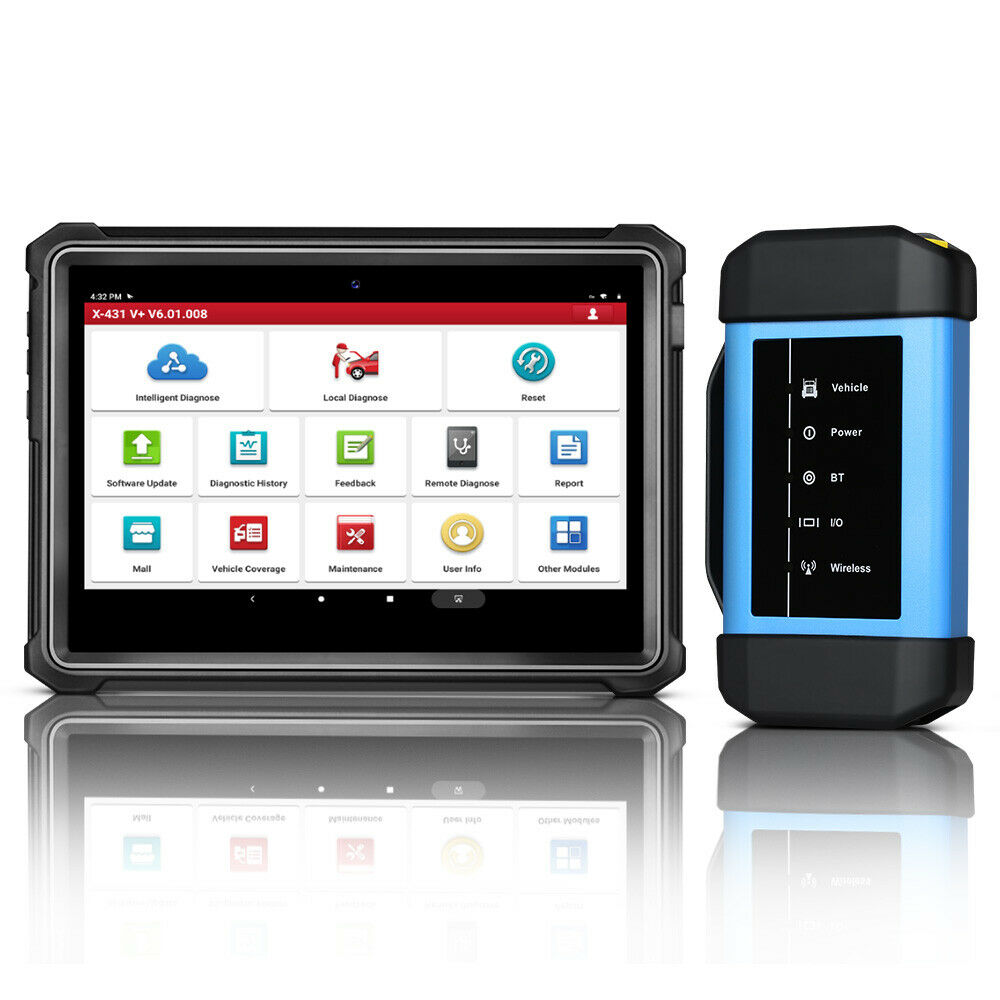
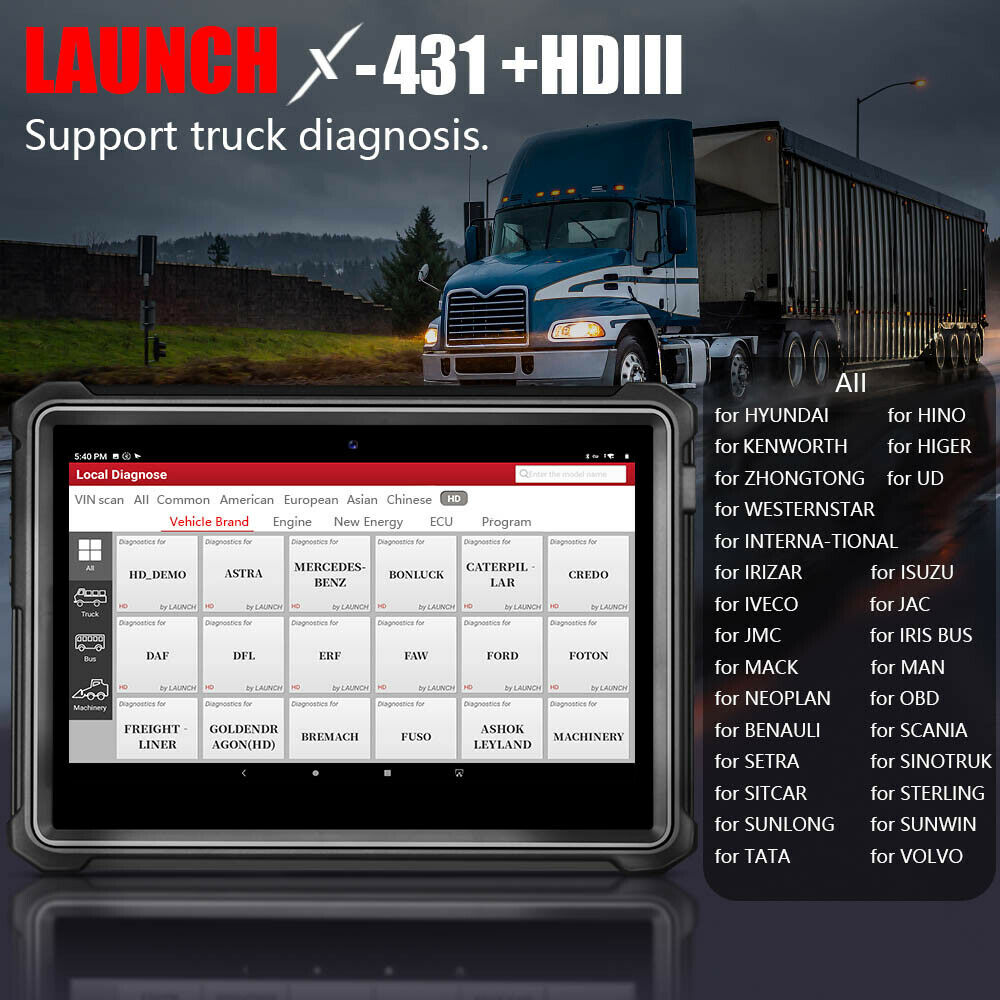
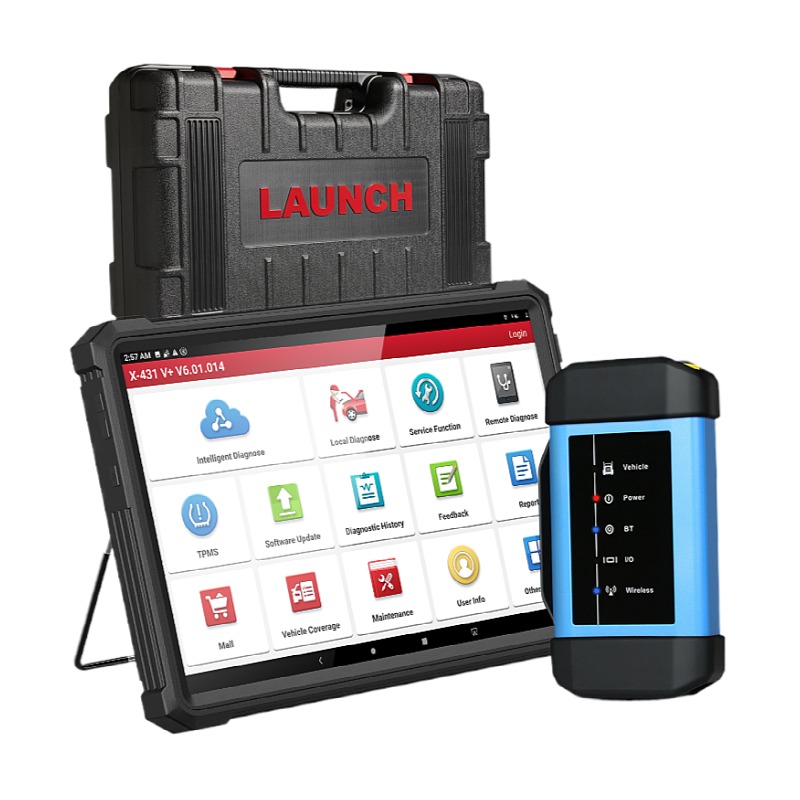
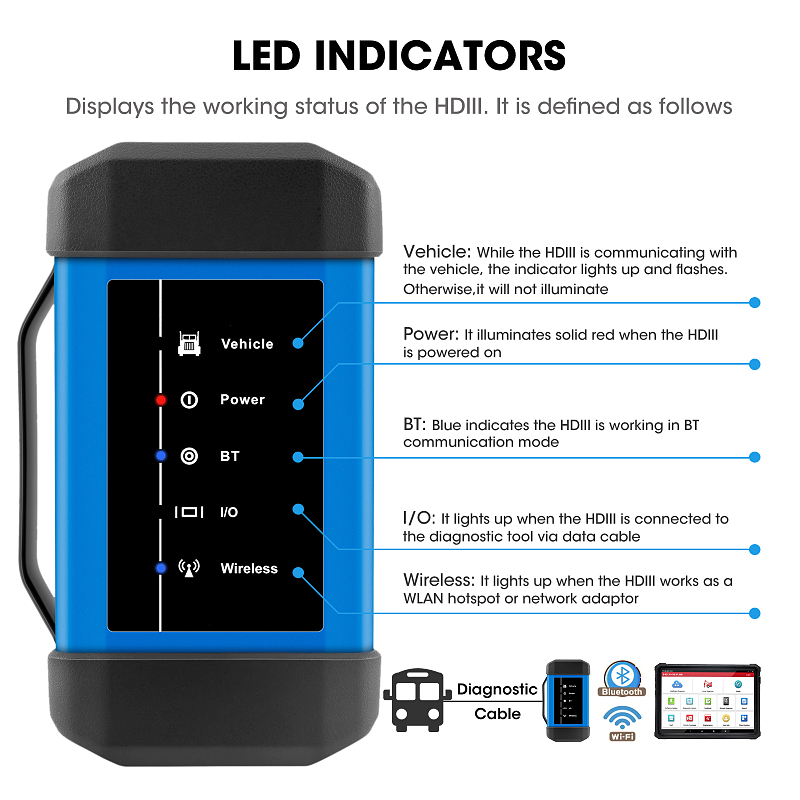
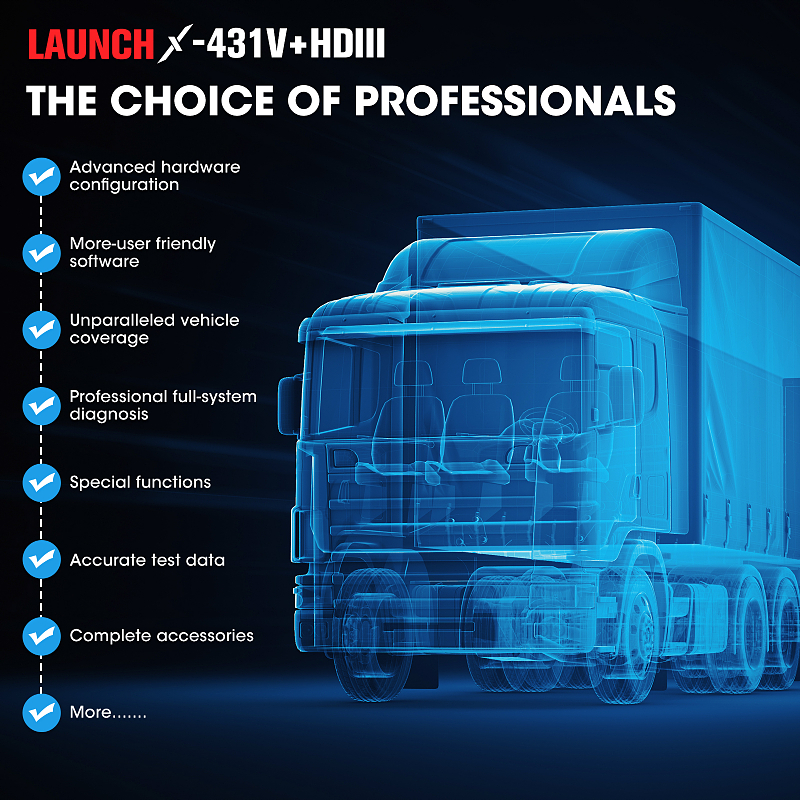
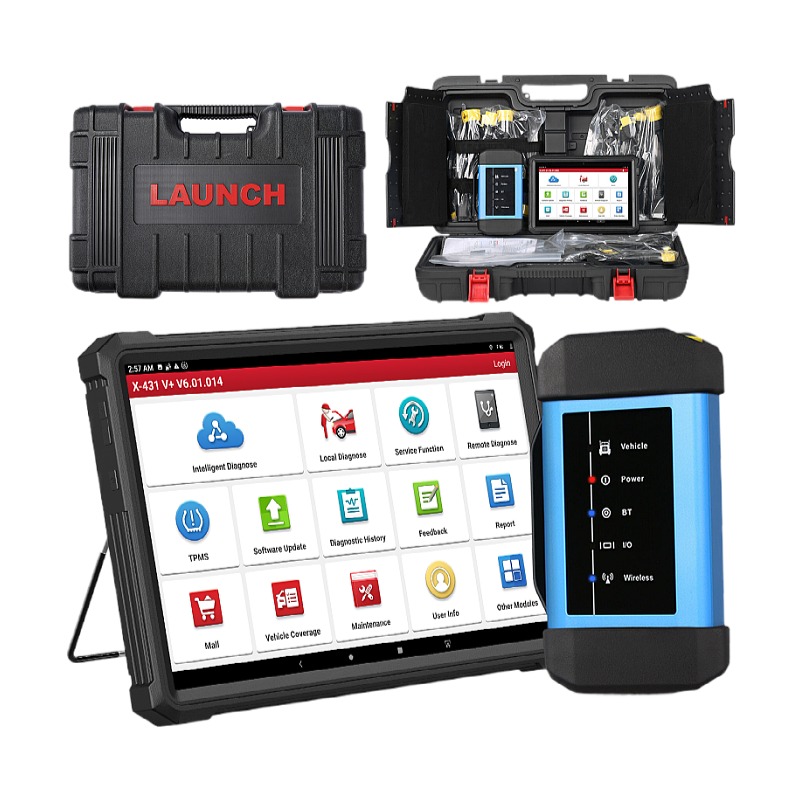
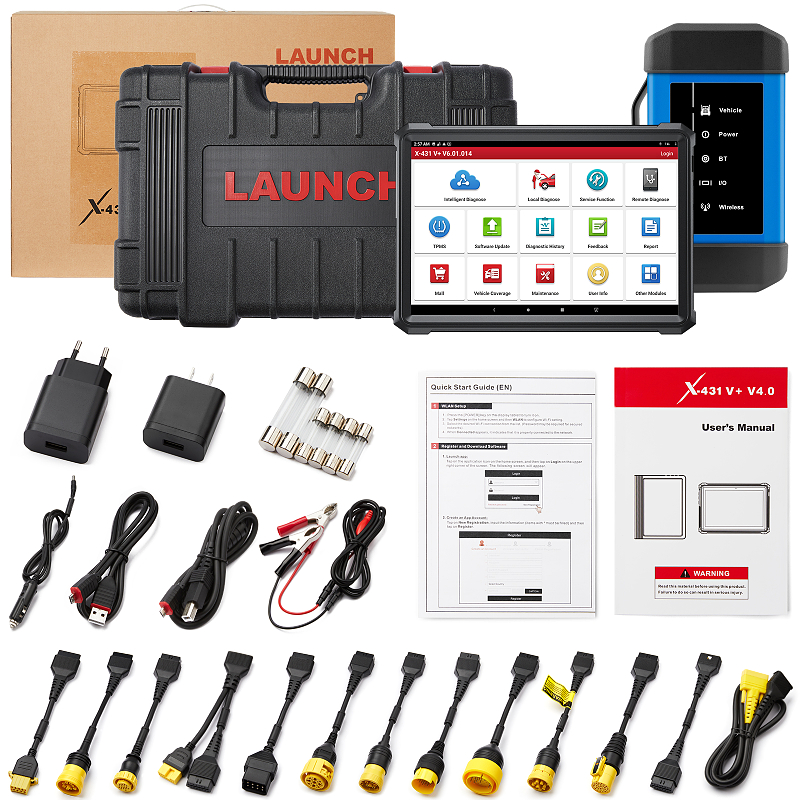
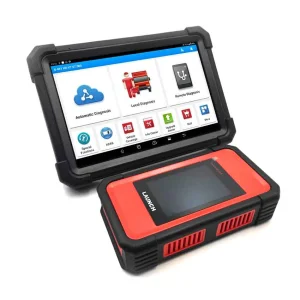
Launch X431 V+ HD3 is a modified version of the multi-brand scanner Launch X-431 Pro which, in its new edition, received a more powerful tablet and a diagnostic function for heavy duty vehicles. The device includes all the advantages of the Pro series and is presented with advanced diagnostic algorithms that allow you to quickly and deeply test the car. The complete set X431V+ HDIII - is intended for trucks diagnostic, The HD package is a set of Launch x431 V+ plus the diagnostic module of trucks Launch HD Box 3.0, it turns out cheaper than buying everything separately. X-431 V+ and HD3 achieves full diesel truck model and full system fault diagnosis through the wireless communication between Data Link Connector (DLC) and smart mobile terminal.
📊 Specification
| Brand & Model |
Launch X431V+HDIII |
| Operating System |
Android 9.0 System |
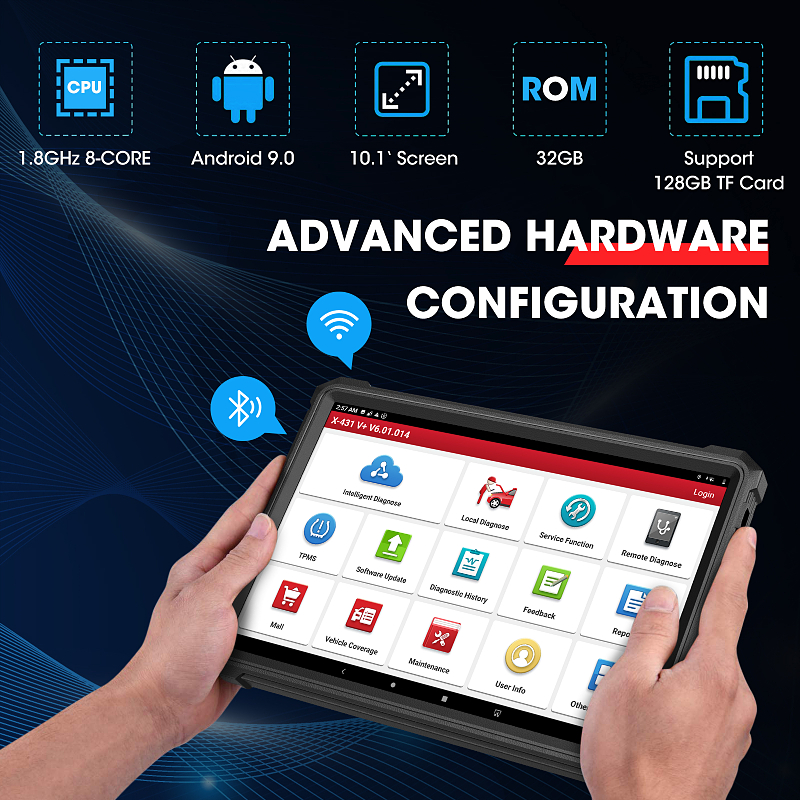
| ROM/RAM |
32G/3G |
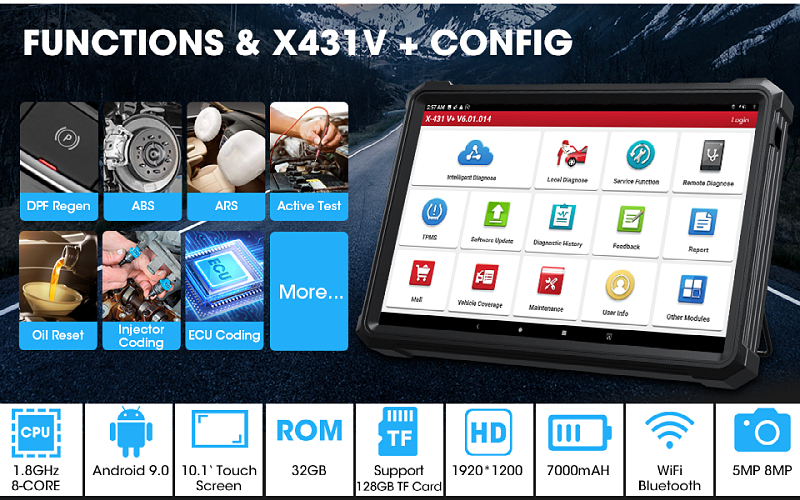
| CPU |
8-core 1.8GHz processor |
| Battery |
7000mAh Lithium-ion |
| Equipped Camera |
500W front, 800W back |
| Touch Screen |
1920*1200 FHD IPS |
| Communication Method |
Wi-Fi / USB |
| Working Range |
Within 100m |
| Length * Width * Height |
Tablet: 265mm*214.5mm*50.5mm + Heavy Duty Module: 204mm*110mm*45mm |
| Multi-language |
English, Spanish, French, German, Russian |
⚙️ Main Features
-
1. Wireless Diagnosis
Host machine and diagnostic connector adopt wireless connection, making diagnosis more convenient.
-
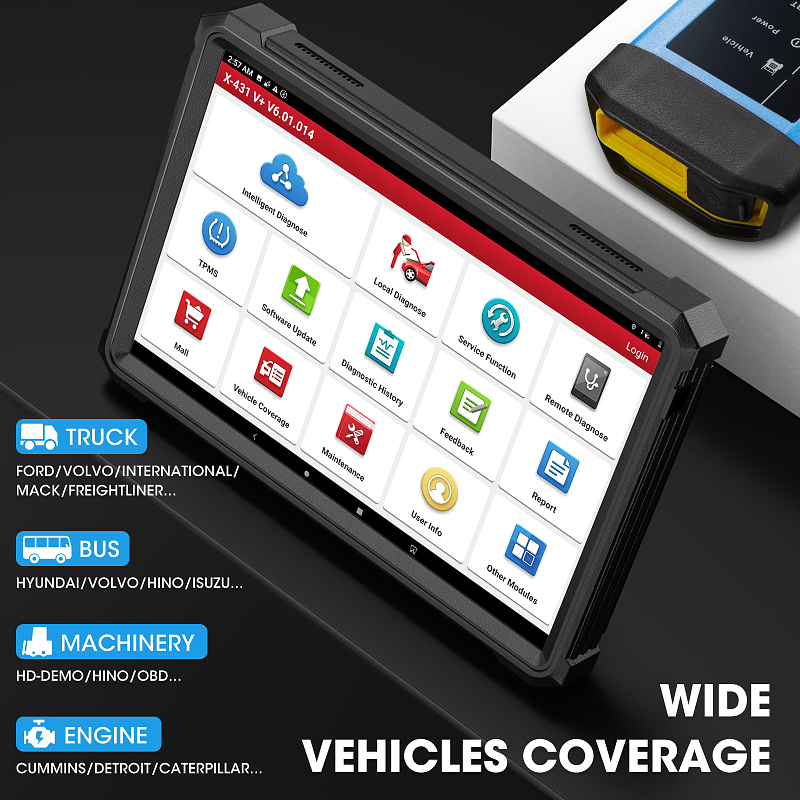
2. Support various truck models
34 truck brands software, support more than 60 truck models. Moreover, the software is being continuously developed.
-
3. Industrial shockproof design
Industrial shockproof design is perfect for the working environment in repair shops.
-
4. Various configurations are available for selection
Suppose you are going to purchase heavy-duty truck diagnostic tool, you must choose X-431 V+, X-431 PRO3 or X-431 PAD II as host machine. If you have already bought X-431 V+, X-431 PRO3 or X-431 PAD II gasoline configuration, now you want to test truck, just buy a heavy-duty truck module.
-
5. Full comprehensive diagnostic software functions
Complete diagnostics capability covering all primary systems.
-
6. Wide diagnostic software coverage
Accurate test data. Software based on Android, matching with more diagnostic hosts.
🚀 Advantages
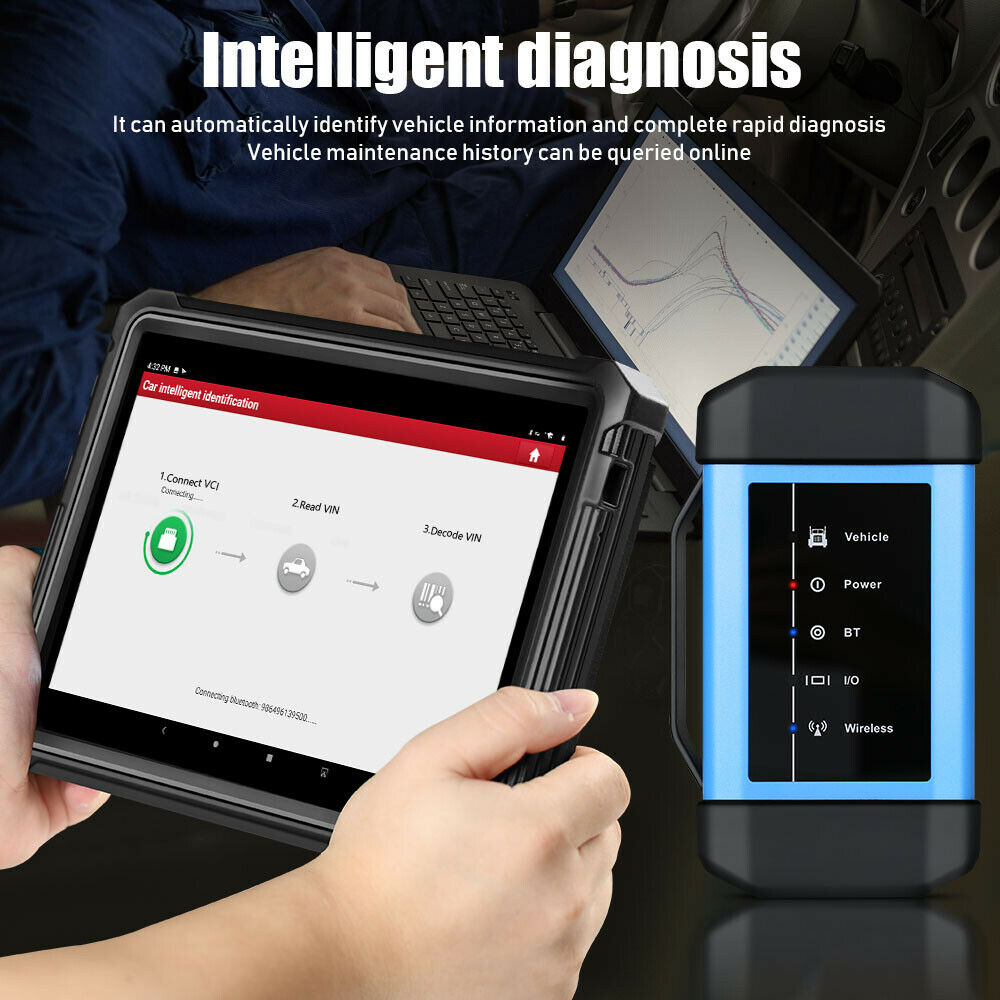
Intelligent Diagnosis
In the state of networking, it can automatically identify vehicle information and complete rapid diagnosis. It can also check the history record of vehicle maintenance online, which is the first in the industry.
Remote Diagnosis
The self-developed and patented IM remote diagnosis technology can be quickly accessed remotely through terminals such as mobile phones, tablets, computers, etc., and the network broadband and system resources occupation rate is low.
Diagnostic Feedback
In the process of using the vehicle and function abnormalities under special circumstances, you can feedback the problem to the technical support team, and there will be special technicians to track and handle it.
Maintenance Information
More than 1600 models, more than 10,000 GB of maintenance database, including online video, circuit diagram, maintenance manual, maintenance cases, operation skills, etc., online inquiry at any time, can also provide detailed fault code help, improve diagnostic efficiency.
Traditional Diagnosis
When in a network-free environment, intelligent diagnosis cannot be used. At this time, traditional diagnosis can be selected, and the vehicle and vehicle models can be manually selected for vehicle fault detection.
Diagnostic Record
Record the local vehicle maintenance record, you can check the vehicle record that the machine has diagnosed, and you can quickly enter the system of the vehicle for detection when it is diagnosed again.
Software Upgrade
Support one-click upgrade of operating system, client, model software and firmware.
Personal Center
Personal data center, including my report, my connector, diagnostic connector connection management, connector activation, firmware repair, personal information, modify user password, settings, etc.
Support purchase software for 12v cars in the shopping mall!
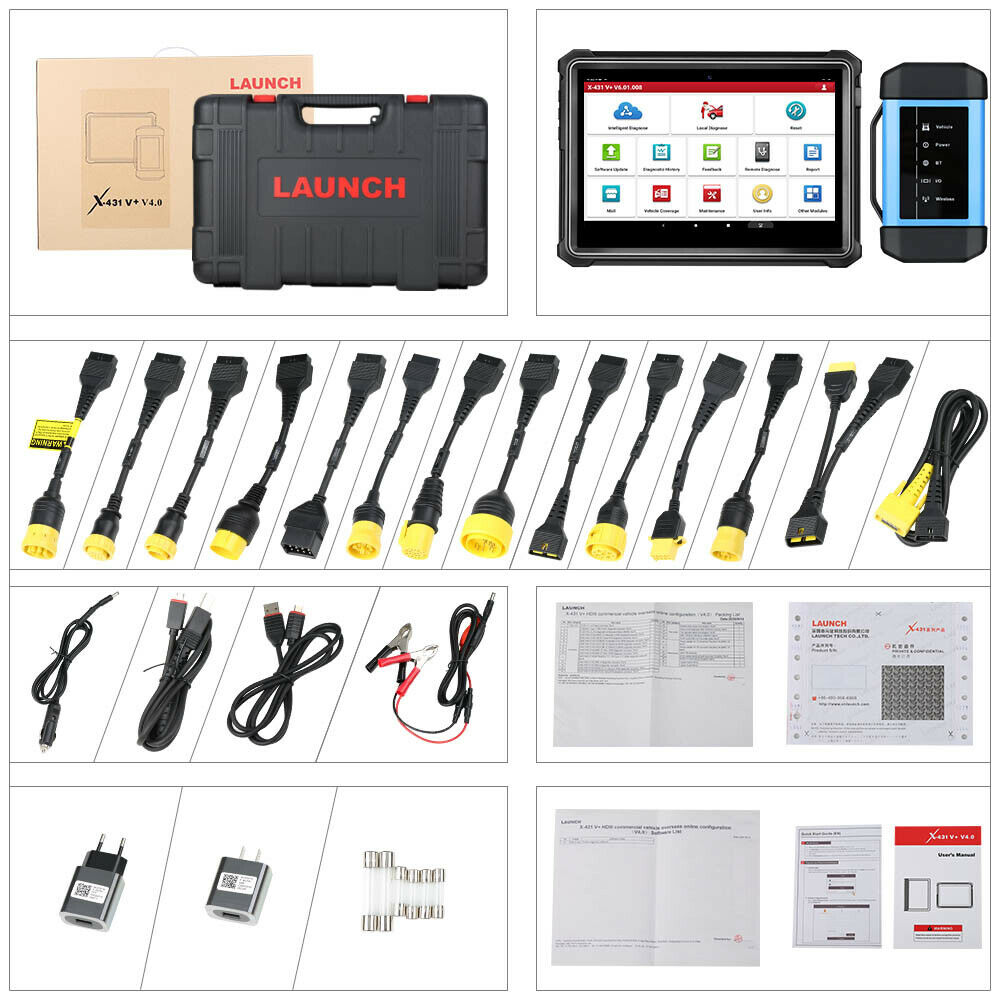
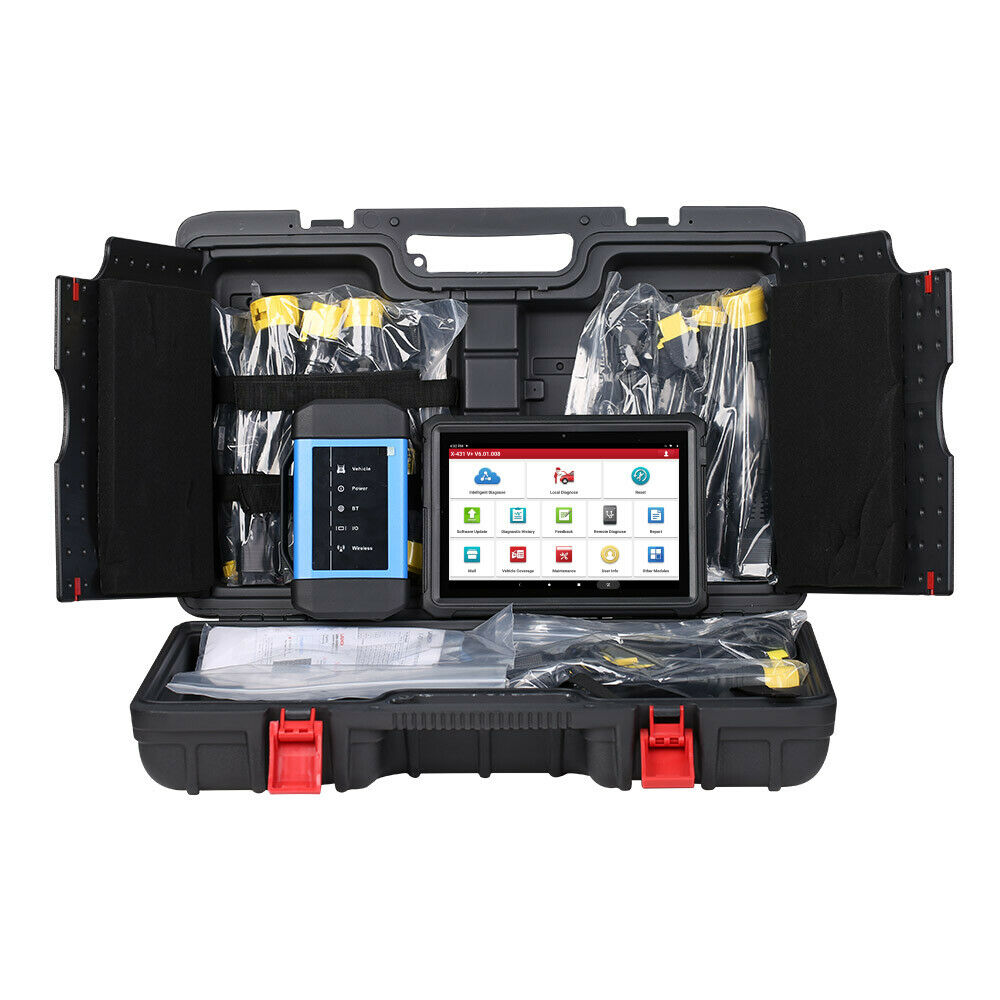
📦 Package Includes
- 1pc x X-431 V+(V3.0) host
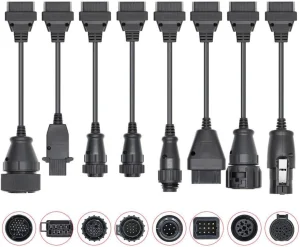
- 1pc x PAD4HD- Type II OBD-9 X431 diagnostic connector
- 1pc x X-431 HD_III_VCI diagnostic kit Business Edition (RM08)
- 1pc x X431 PAD IV HD-BENZ-14 / Mercedes 14PIN diagnostic connector
- 1pc x X431 PAD IV HD-CAT-9 / Carter 9PIN diagnostic connector
- 1pc x X431 PAD IV HD-HYUNDAI-16 / Modern truck 16PIN diagnostic connector
- 1pc x X431 PAD IV HD-IVECO-30 / In Victoria Ho 30PIN diagnostic connector
- 1pc x X431 PAD IV HD-IVECO-38 / In Victoria Ho 38PIN diagnostic connector
- 1pc x X431 PAD IV HD-MAN-12 / Man 12PIN diagnostic connector
- 1pc x X431 PAD IV HD-MAN-37 / Man 37PIN diagnostic connector
- 1pc x X431 PAD IV HD-MITSUBISHI-12 + 16 / Fuso 12 + 16PIN diagnostic connector
- 1pc x X431 PAD IV HD-OBD-16 diagnostic connector
- 1pc x X431 PAD IV HD-OBD-6 diagnostic connector
- 1pc x X431 PAD IV HD-RENAULT-12 / Renault 12PIN diagnostic connector
- 1pc x X431 PAD IV HD-VOLVO-8 / Volvo 8PIN diagnostic connector
- 1pc x Heavy truck diagnostic X431 PAD4HD mainline
- 1pc x LIGHTER
- 1pc x CLIPPER
- 1pc x Adapter, 5V/2A, American Standard (Lenovo plate supporting)
- 1pc x X431 PIN envelope
- 1pc x X-431 V+ HD3 English quick start
- 1pc x X431, PRO3S+, B, USB, Micro, USB
- 1pc x Clipper fuse 5*20mm
- 1pc x Lighter fuse 6*30mm
- 1pc x X-431 Power supply
🆕 Newly added to the package
❓ FAQ
Q Communication error with vehicle ECU?
Please confirm:
- 1) Whether the VCI is properly connected.
- 2) Whether the vehicle ignition switch is ON.
- 3) If all checks are normal, send vehicle year, make, model and VIN number to us using Diagnostic Feedback feature.
Q Failed to enter into vehicle ECU system?
Please confirm:
- 1) Whether the vehicle is equipped with the system.
- 2) Whether the VCI is correctly connected.
- 3) Whether the vehicle ignition switch is ON.
- 4) If all checks are normal, send vehicle year, make, model and VIN number to us using Diagnostic Feedback feature.
Q How to save power?
- 1) Please turn off the screen while X-431 V+ keeps idle.
- 2) Set a shorter standby time.
- 3) Decrease the brightness of the screen.
- 4) If WLAN connection is not required, please turn it off.
- 5) Disable GPS function if GPS service is not in use.
Q How to handle when you encounter "Insufficient storage space"?
If this happens while downloading the diagnostic software, please proceed as follows:
- 1. Get your X-431 V+ username and password ready. If you forgot the password, please contact the support center to retrieve it with the product Serial Number.
- 2. Reset the X-431 V+ to the default factory settings.
- 3. Tap "Settings" -> "WLAN", slide the switch to ON and then choose the desired WLAN network to connect.
- 4. Open the browser and visit the official website to download and install the latest App.
- 5. After the installation is complete, launch the application and login with your username and password.
- 6. Tap "Update" to download the diagnostic software.
Note: For new App, the software structure and storage space occupied by the vehicle software have been optimized so as to avoid the occurrence of insufficient storage.
Q How to reset X-431 V+?
Resetting may cause data loss. Before doing so, please make sure important data and information has been backed up. Do the following to reset X-431 V+:
- 1. Tap "Settings" -> "Back & Reset".
- 2. Tap "Factory data reset".
- 3. Tap "Reset tablet".
- 4. Tap "Clear all data" to start resetting until the tool automatically reboots.
Q The diagnostic application is failing.
- 1. Press the Home key on the tool.
- 2. Select "Settings" -> "Apps".
- 3. Select the application name from the Apps list.
- 4. Select "Force Stop", and then press "OK" to confirm.
- 5. Select "Clear Data", and then press "OK" to confirm.
 Kore Auto