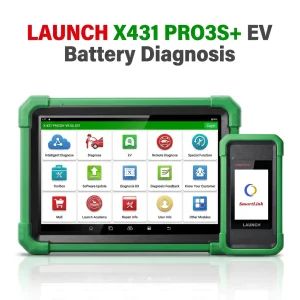
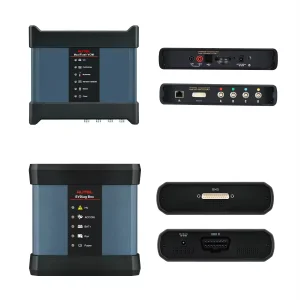
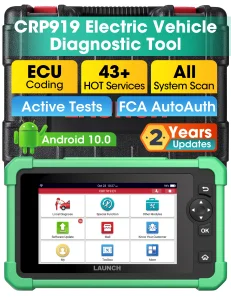
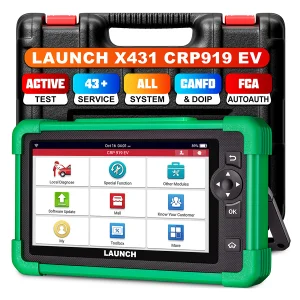
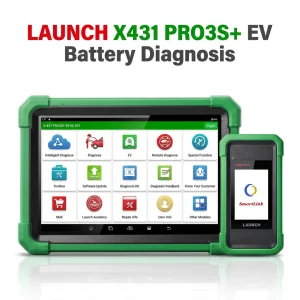
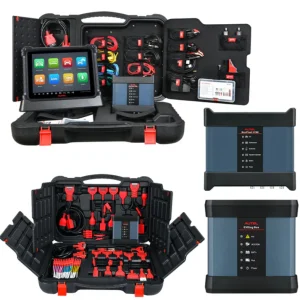
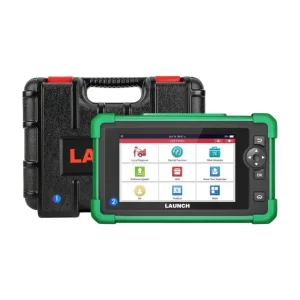
LAUNCH EV Diagnosis Add-On Kit New Energy Battery Pack Diagnostic Upgrade Package Expert Analyzer

Product Description

LAUNCH X431 EV Diagnostic Upgrade Kit

LAUNCH X431 EV Diagnostic Upgrade Kit + Activation Card

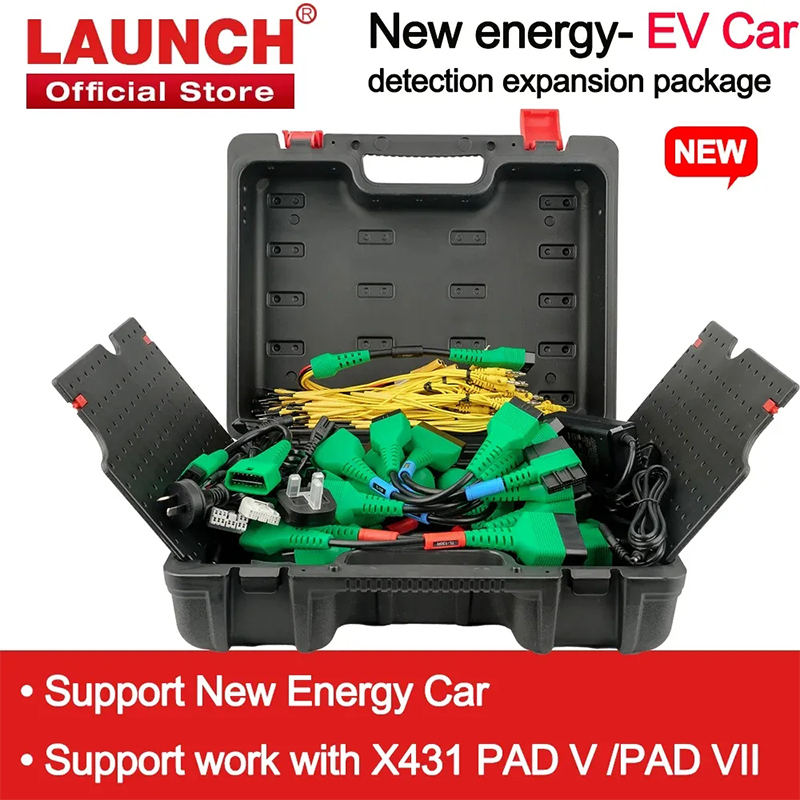
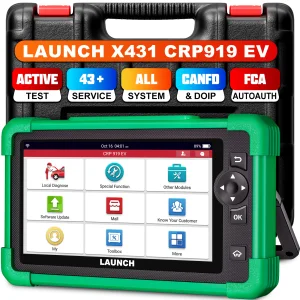
Compatible with X431 PAD V and PAD VII. The new energy battery Diagnostics Upgrade Kit includes an activation card and specialized adapters for electric vehicles to perform battery pack health and status analysis.

Use the EV DIAGKIT to diagnose battery pack State of Charge (SoC) and State of Health (SoH) on Tesla, BYD, and many other electric vehicles. Includes 1-year software update.
โš™ How to Use It?
Prerequisites: User must have purchased the new energy battery pack diagnostic configuration of the X-431 PAD V / X-431 PAD VII, and received the Activation Card along with the diagnostic adapter cables. Choose either of the following methods to activate on the scanner.

Method 1 - Via Job Menu

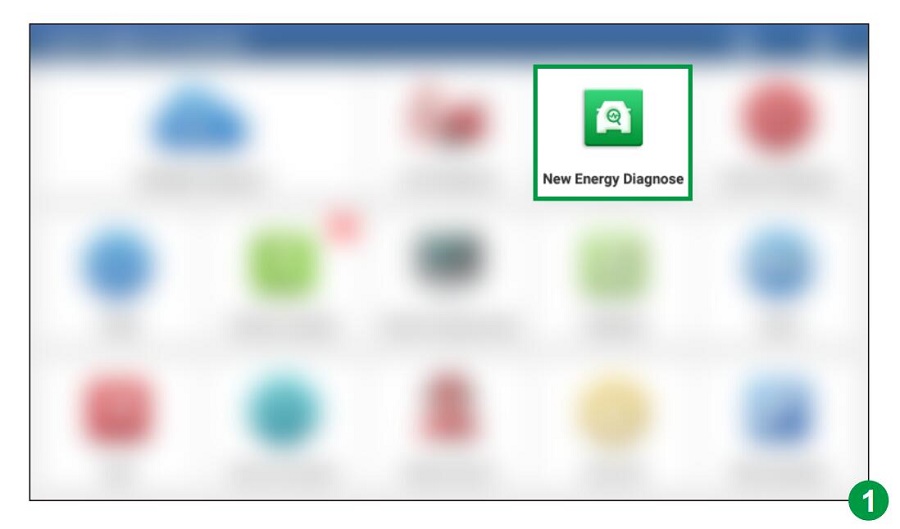
  • Step 1 Update main app to V7.03.025 (PAD V) / V7.00.021 (PAD VII) or above. A new "New Energy Diagnose" module will appear on the Job menu (Figure 1).
    Job Menu Update Screen
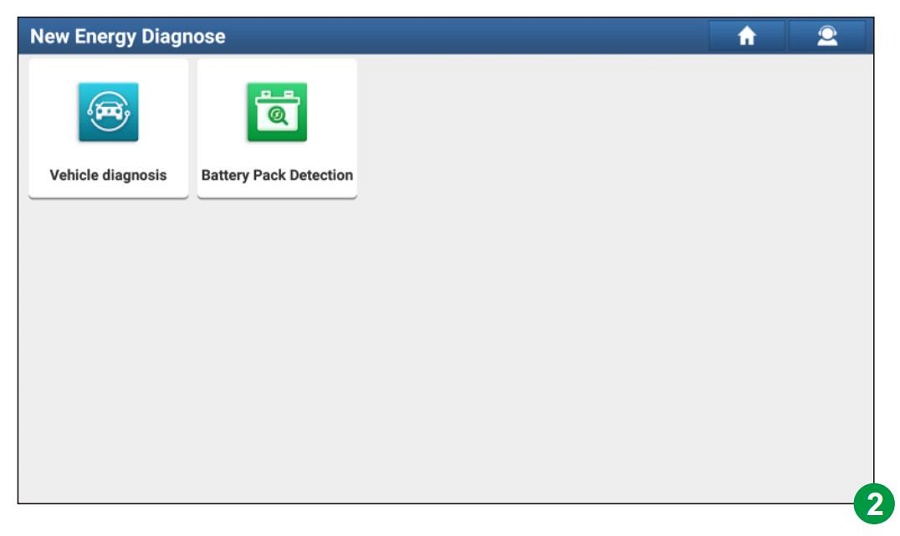
  • Step 2 Tap "New Energy Diagnose" to enter the diagnosis interface (Figure 2).
    New Energy Diagnose Screen
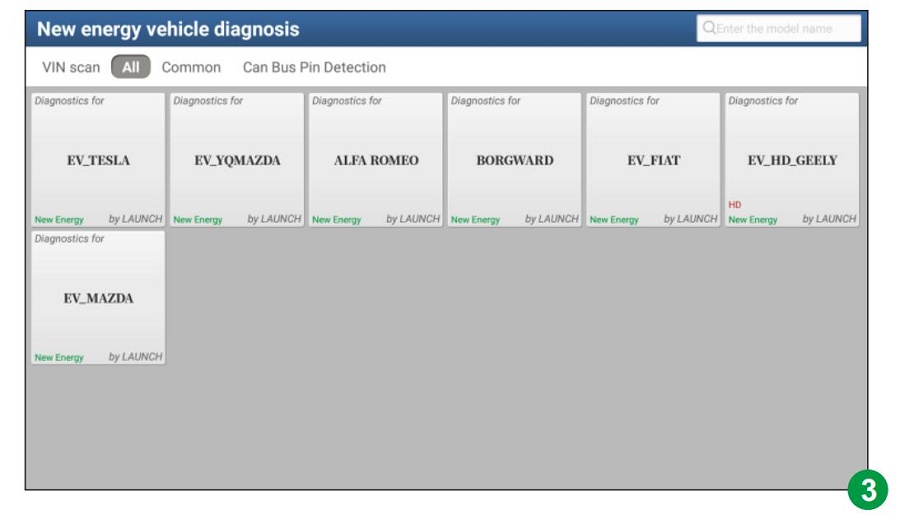
    Note: Vehicle Diagnosis covers all new energy vehicle diagnostic software included in the original configuration (Figure 3).
    Vehicle Diagnosis List Screen
  • Step 3 Tap "Battery Pack Detection". The system will identify the diagnostic configuration activation status:
    Case A: If Not Activated
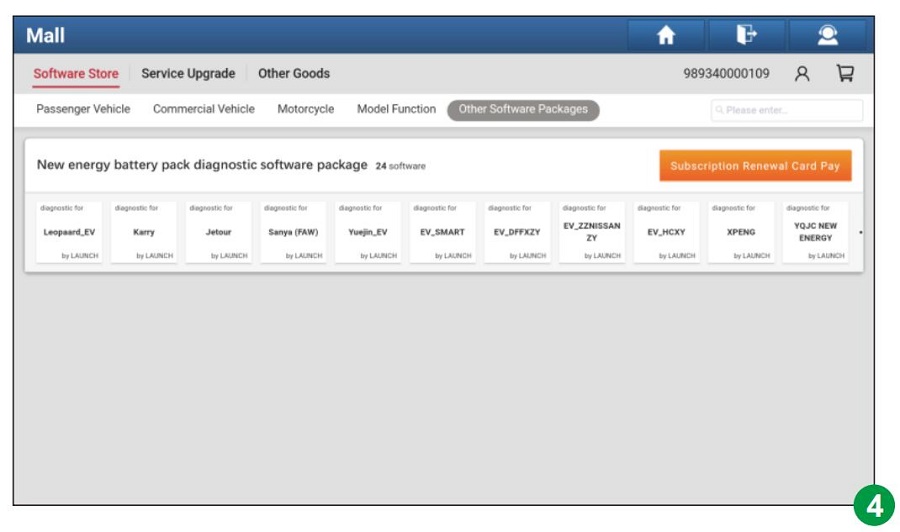
    System will navigate to the Mall module. Tap "Subscription Renewal Card Pay" and enter the 24-digit activation password (Figure 4). Download the battery pack diagnostic software from "Software Update" after activation.
    Mall Activation Card Pay
    Case B: Activated but Not Downloaded
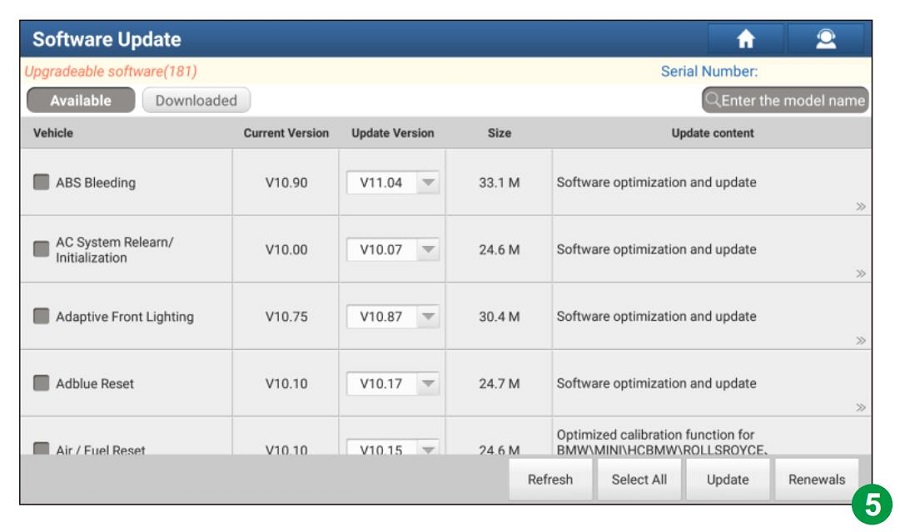
    System will directly navigate to "Software Update" to prompt download (Figure 5).
    Software Update Screen
    Case C: Activated and Downloaded
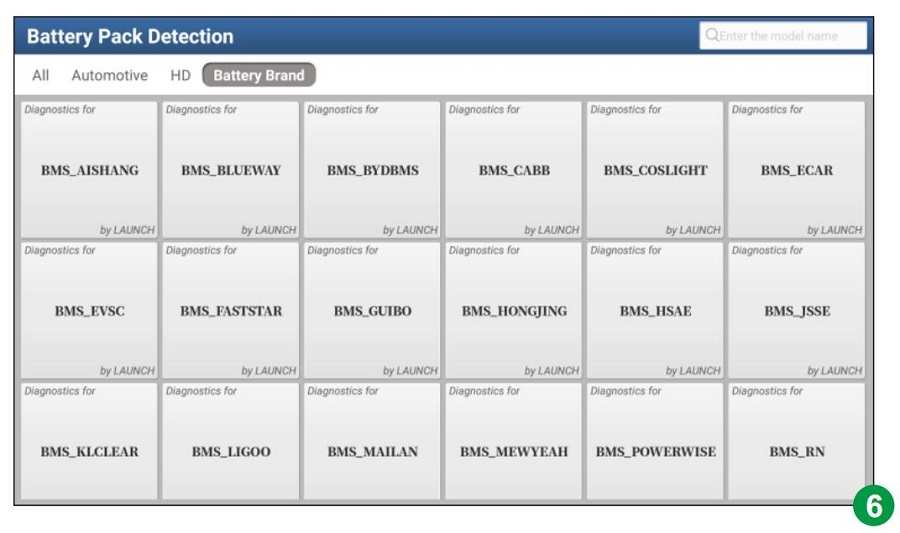
    System will enter the battery pack brand selection screen directly (Figure 6).
    Battery Pack Brand Selection Screen

Method 2 - Via Mall

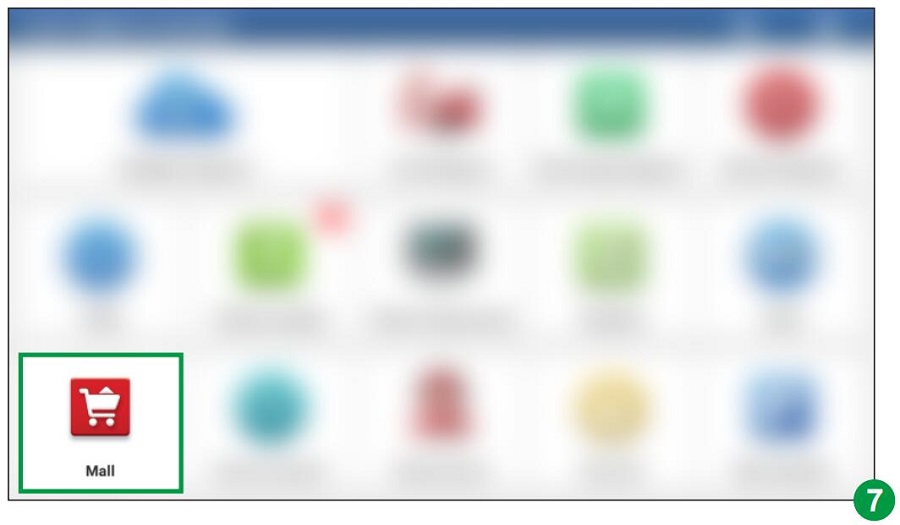
  • Step 1 Update the main app to V7.03.025 or above, then tap "Mall" on the Job menu (Figure 7).
    Mall Location Screen
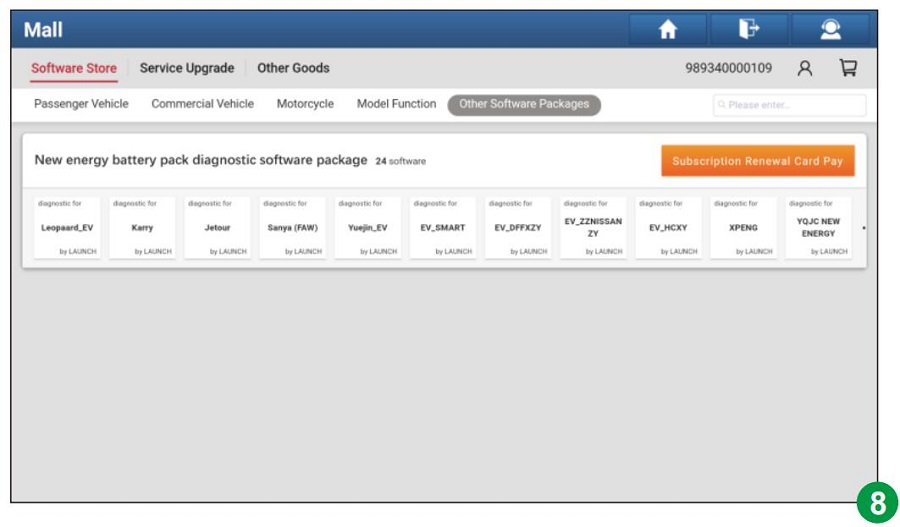
  • Step 2 Tap "Other Software Packages", then select "New energy battery pack diagnostic software package" (Figure 8).
    Mall Software Package Screen
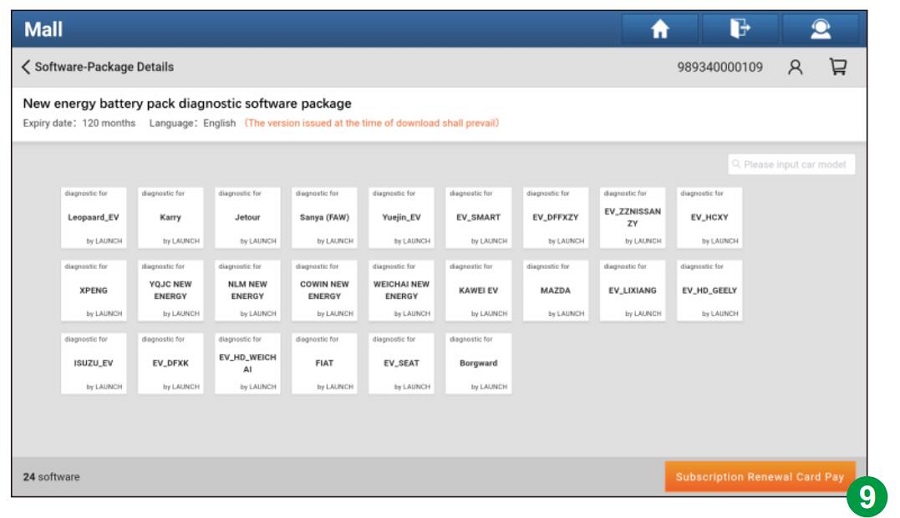
  • Step 3 Tap "Subscription Renewal Card Pay" (Figure 9).
    Card Pay Option Screen
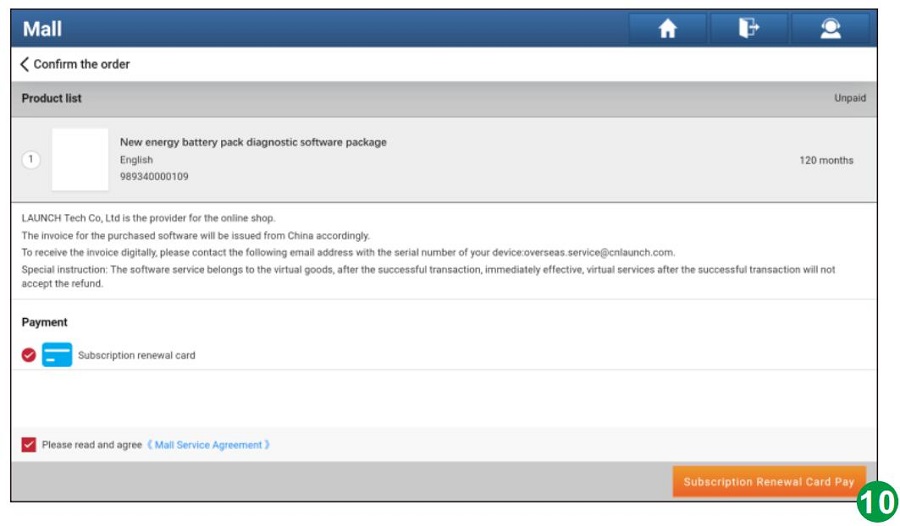
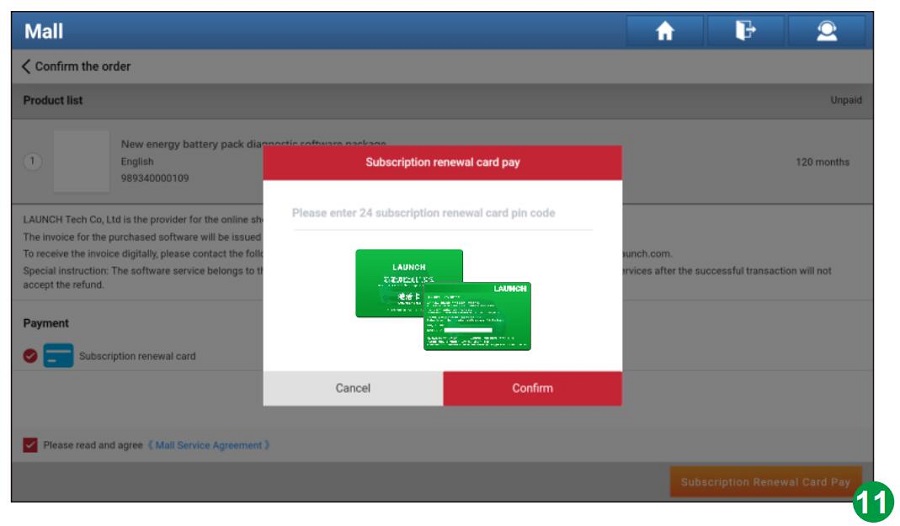
  • Step 4 Enter the 24-digit activation password and tap "Confirm" to activate (Figure 10 & 11).
    Enter Password Screen Activation Success Screen
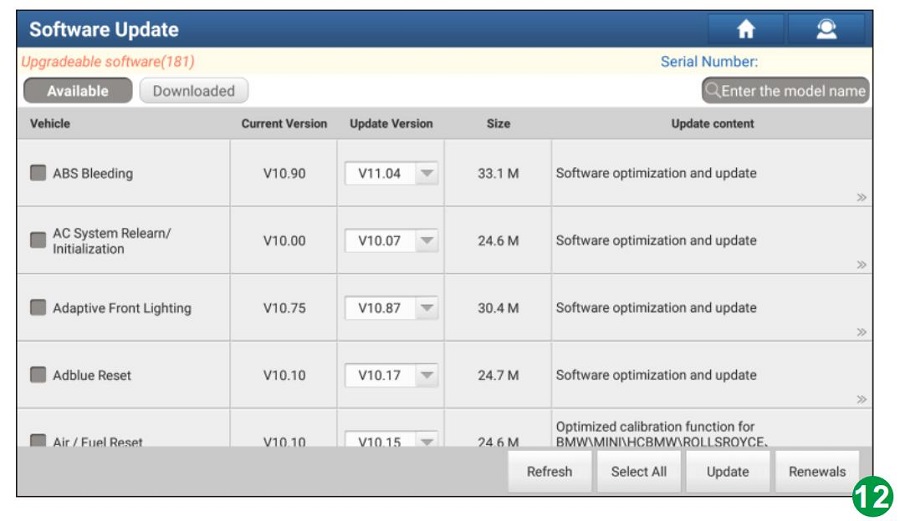
  • Step 5 Go to "Software Update" to download and install the package (Figure 12).
    Download Software Screen
  • Step 6 Tap "New Energy Diagnose" and select "Battery Pack Detection" to begin brand selection.
    *Note: Illustrations are based on the latest software version. Actual UI options may differ slightly due to continuous product updates.
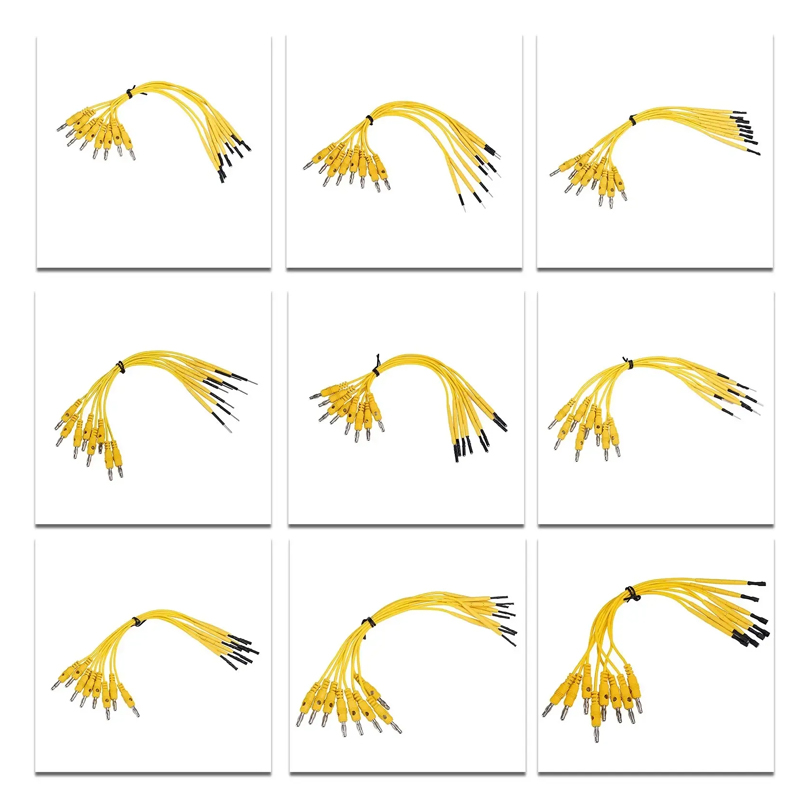
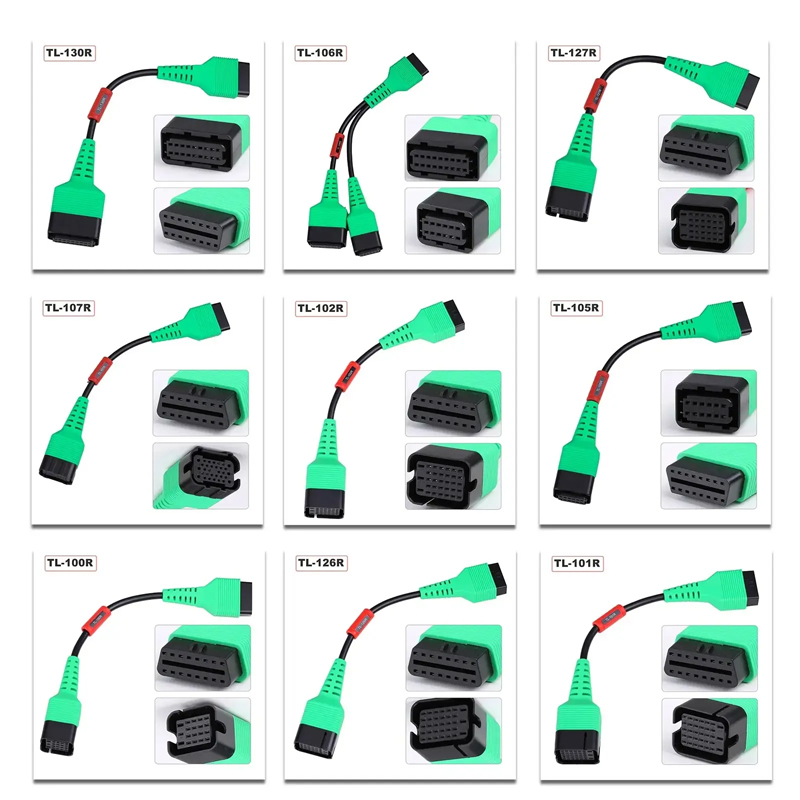
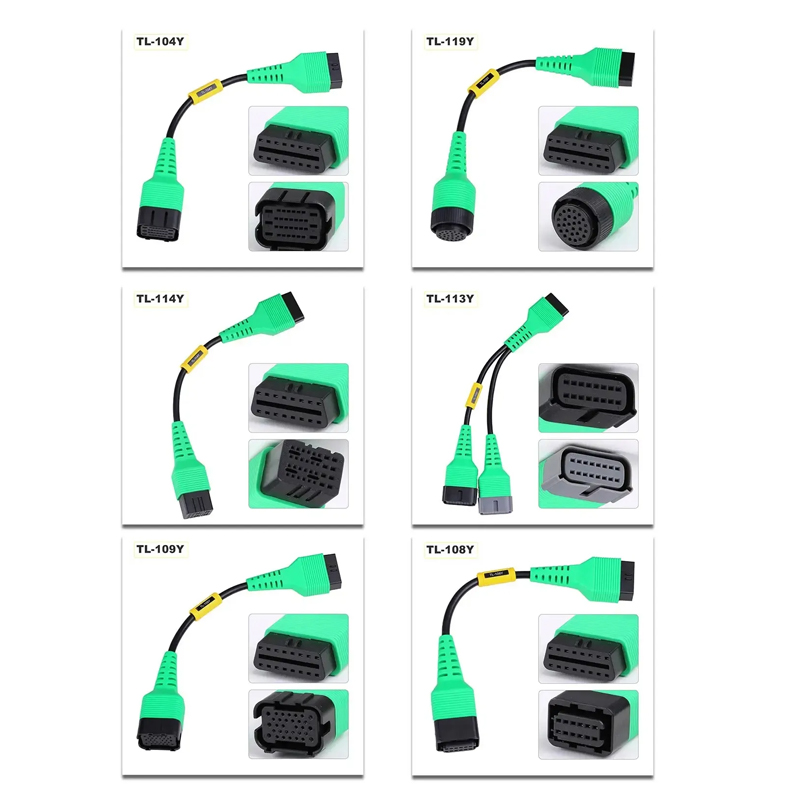
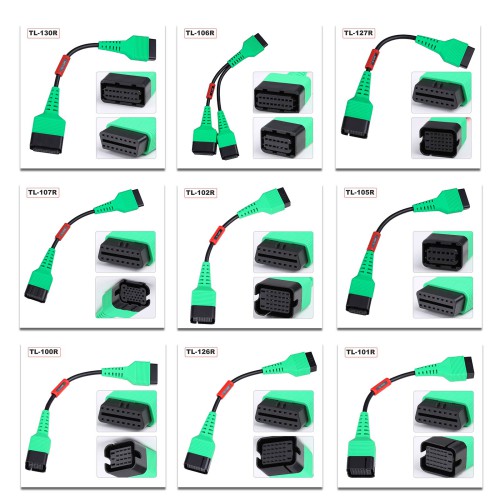
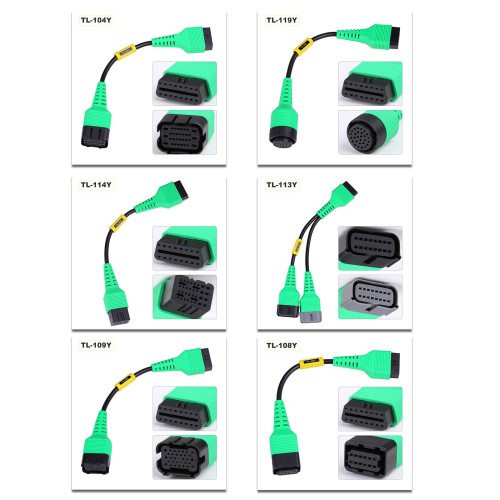
๐Ÿ”Œ Adapter Cable & Connector Gallery
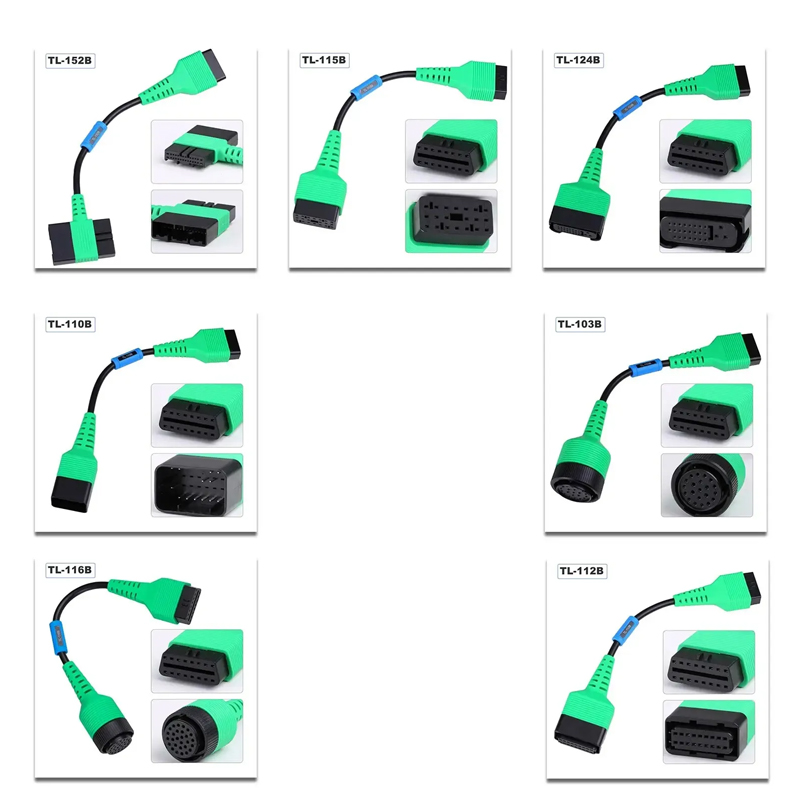
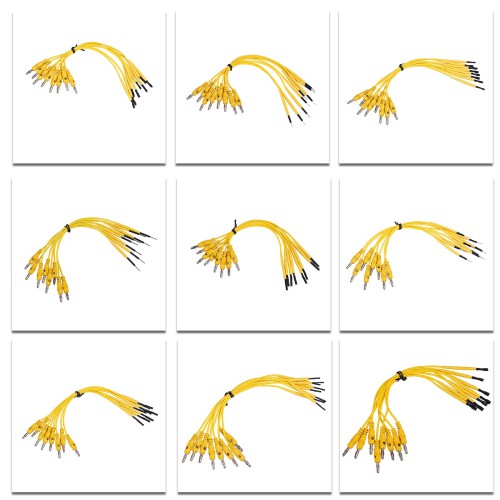
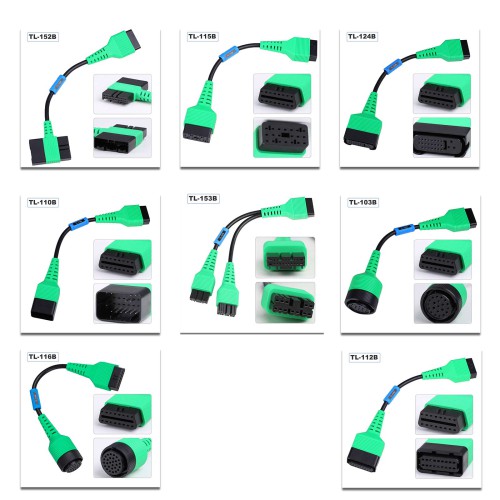
EV Adapter Cable 1 EV Adapter Cable 2 EV Adapter Cable 3 EV Adapter Cable 4
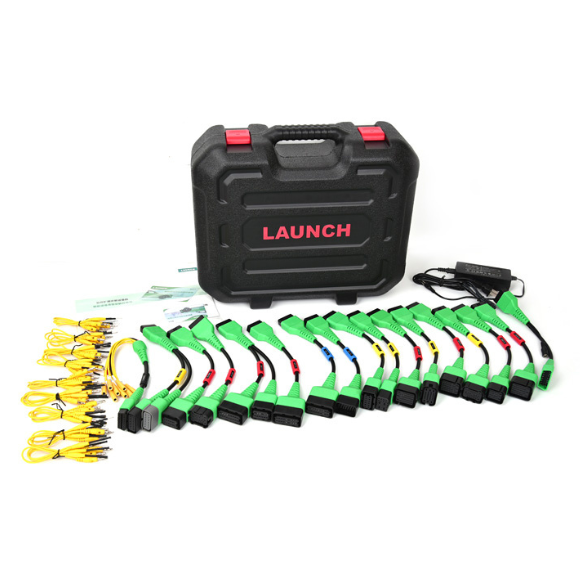
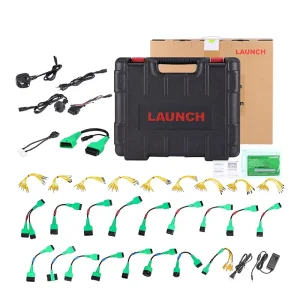
๐Ÿ“ฆ Package Includes:
โœ“ 1pc x Special connector for Tesla airbag repair, RoHS
โœ“ 1pc x (PAD VII) 220V/1.3A, 8-suffix British AC wire, 1M, RoHS
โœ“ 1pc x OBD16 male to female new energy extension cable, with DC cable, RoHS
โœ“ 1pc x X431 EV MAX battery pack detection 8PIN diagnostic connector, RoHS
โœ“ 1pc x X-431 PAD IV electric control adapter cable 1, RoHS
โœ“ 1pc x X-431 PAD IV electric control adapter cable 10, RoHS
โœ“ 1pc x X-431 PAD IV electric control adapter cable 11, RoHS
โœ“ 1pc x X-431 PAD IV electric control adapter cable 12, RoHS
โœ“ 1pc x X-431 PAD IV electric control adapter cable 2, RoHS
โœ“ 1pc x X-431 PAD IV electric control adapter cable 3, RoHS
โœ“ 1pc x X-431 PAD IV electric control adapter cable 6, RoHS
โœ“ 1pc x X-431 PAD IV electric control adapter cable 7, RoHS
โœ“ 1pc x X-431 PAD IV electric control adapter cable 8, RoHS
โœ“ 1pc x Battery pack test line 100 models, RoHS
โœ“ 1pc x Battery pack test line 101, RoHS
โœ“ 1pc x Battery pack test line 102, RoHS
โœ“ 1pc x Battery pack test line 103, RoHS
โœ“ 1pc x Battery pack test line 104, RoHS
โœ“ 1pc x Battery pack test line 105, RoHS
โœ“ 1pc x Battery pack test line 106, RoHS
โœ“ 1pc x Battery pack test line 107, RoHS
โœ“ 1pc x Battery pack test line 108, RoHS
โœ“ 1pc x Battery pack test line 109, RoHS
โœ“ 1pc x Battery pack test line 110 models, RoHS
โœ“ 1pc x Battery pack test line 112 models, RoHS
โœ“ 1pc x Battery pack test line 113, RoHS
โœ“ 1pc x Battery pack test line 114, RoHS
โœ“ 1pc x Battery pack test line 115 models, RoHS
โœ“ 1pc x Battery pack test line 116, RoHS
โœ“ 1pc x Battery pack test line 119, RoHS
โœ“ 1pc x Battery pack test line 124 types, RoHS
โœ“ 1pc x Battery pack test line 126 models, RoHS
โœ“ 1pc x Battery pack test line 127 models, RoHS
โœ“ 1pc x Battery pack test line 130 models, RoHS
โœ“ 1pc x Battery pack test line 152 models, RoHS
โœ“ 1pc x Battery pack test line 153 models, RoHS
โœ“ 1pc x Network port diagnostic test line/flat 5Pin/2m, RoHS
โœ“ 1pc x Network port diagnostic test line/round HSD4Pin/2m, RoHS
โœ“ 1pc x USB 2.0 Ethernet network card (approx. 22.6cm), RoHS
โœ“ 1pc x (PAD VII) 8-suffix Australian standard AC wire, 1M, RoHS
โœ“ 1pc x (PAD VII) 220V/1.3A, 8-suffix European standard AC wire, 1M, RoHS
โœ“ 1pc x Power adapter, 12V4A, 48W, US standard AC cable, 2M, RoHS
โœ“ 1pc x EV Detection Extension Pack Operation Guide, RoHS
โœ“ 1pc x Activation Card
Frequently Asked Questions (FAQ)
Q Which diagnostic tools is this upgrade kit compatible with?
The LAUNCH X431 EV Diagnostic Upgrade Kit is designed to be fully compatible with the X-431 PAD V and X-431 PAD VII diagnostic scanners.
Q What functions can I perform with the EV Diagnostic Upgrade Kit?
It enables you to perform comprehensive battery pack diagnostics, analyzing parameters such as State of Charge (SoC) and State of Health (SoH) on new energy electric vehicles.
Q Which electric vehicle brands are supported?
The kit supports Tesla, BYD, and many other leading new energy and electric vehicle brands for battery pack testing and diagnostics.
Q How long is the software updates package valid for?
The activation package includes one year of free software updates for the EV battery diagnostic software starting from the date of activation.
Q What should I do if the "New Energy Diagnose" option does not appear on my device?
Ensure that you update the main diagnostic application of your scanner to version V7.03.025 or above for X-431 PAD V, or version V7.00.021 or above for X-431 PAD VII.
Q Are the required connection cables included in the package?
Yes, the package comes with a comprehensive list of adapter cables, testing lines for various models, special Tesla airbag connectors, power adapters, and network interface lines.

Related Products